Docs · Accounts
Connect iCloud
Add an iCloud Mail account to Alrighty with an app-specific password, which you can revoke at any time.
Apple doesn't let other mail apps sign in with your Apple Account, so iCloud uses an app-specific password. It is a password for Alrighty alone. You can revoke it at any time without changing your Apple Account password.
Steps
1. Open Sign-In & Security
Go to account.apple.com and sign in. Click Sign-In & Security in the sidebar, then click App-Specific Passwords.
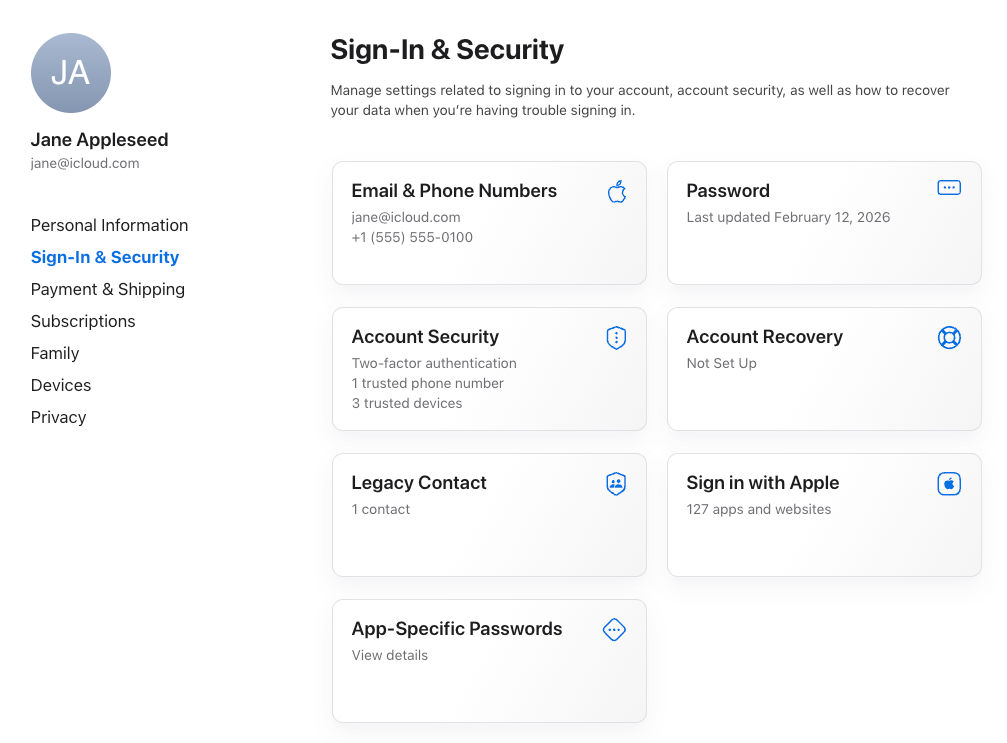
Two-factor authentication needs to be on. If App-Specific Passwords is missing, turn it on under Account Security first.
2. Create a password
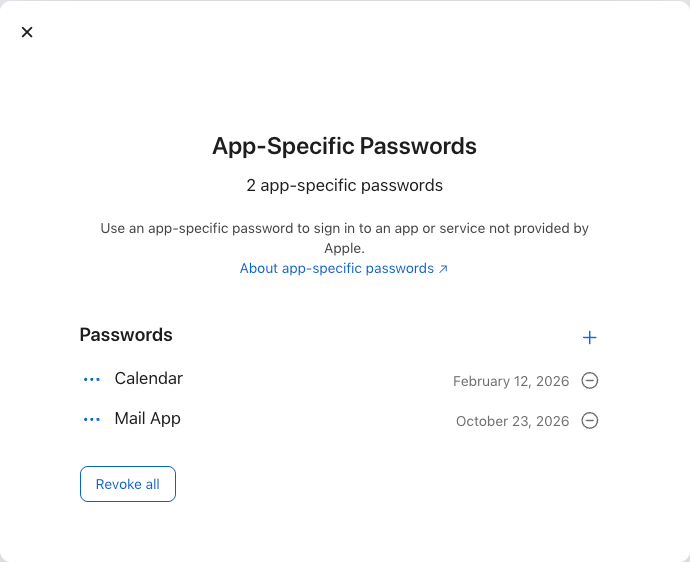
Click + next to Passwords.
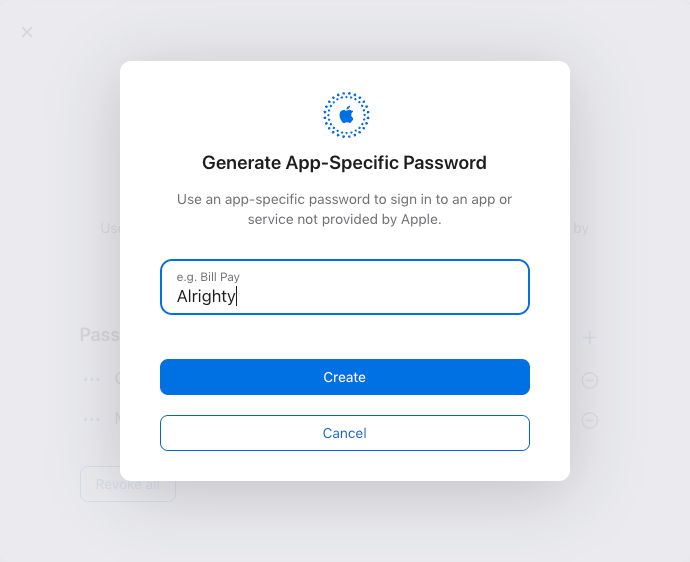
Name it "Alrighty" and click Create. Apple may ask for your Apple Account password again.
Apple shows the password once, in the form xxxx-xxxx-xxxx-xxxx. Copy it.
3. Add the account in Alrighty
In Alrighty, choose iCloud Mail and click Continue. Enter your iCloud address and the password Apple gave you, then click Connect. Add an account shows where to start if you already have one account.
Questions
Alrighty says the password is wrong
Use the app-specific password, not your Apple Account password. Copy it again with the dashes. If you lost it, create a new one. Apple never shows an old one again.
How do I disconnect Alrighty from iCloud?
Remove the account in Alrighty (Remove an account). Then open App-Specific Passwords at account.apple.com and click the minus button next to "Alrighty".