Docs · Unwanted mail
Clean up unwanted senders
Clean up lists the cold outreach, scams and newsletters you never open. Check the senders you don't want and stop all their mail at once.
Click Review at the bottom right of the window, then click Review again. Alrighty lists the senders you likely don't want, and Stop mail ends mail from every sender you leave checked.
Steps
1. Open Clean up
Click Review at the bottom right of the window, next to Agent.

2. Choose what to review
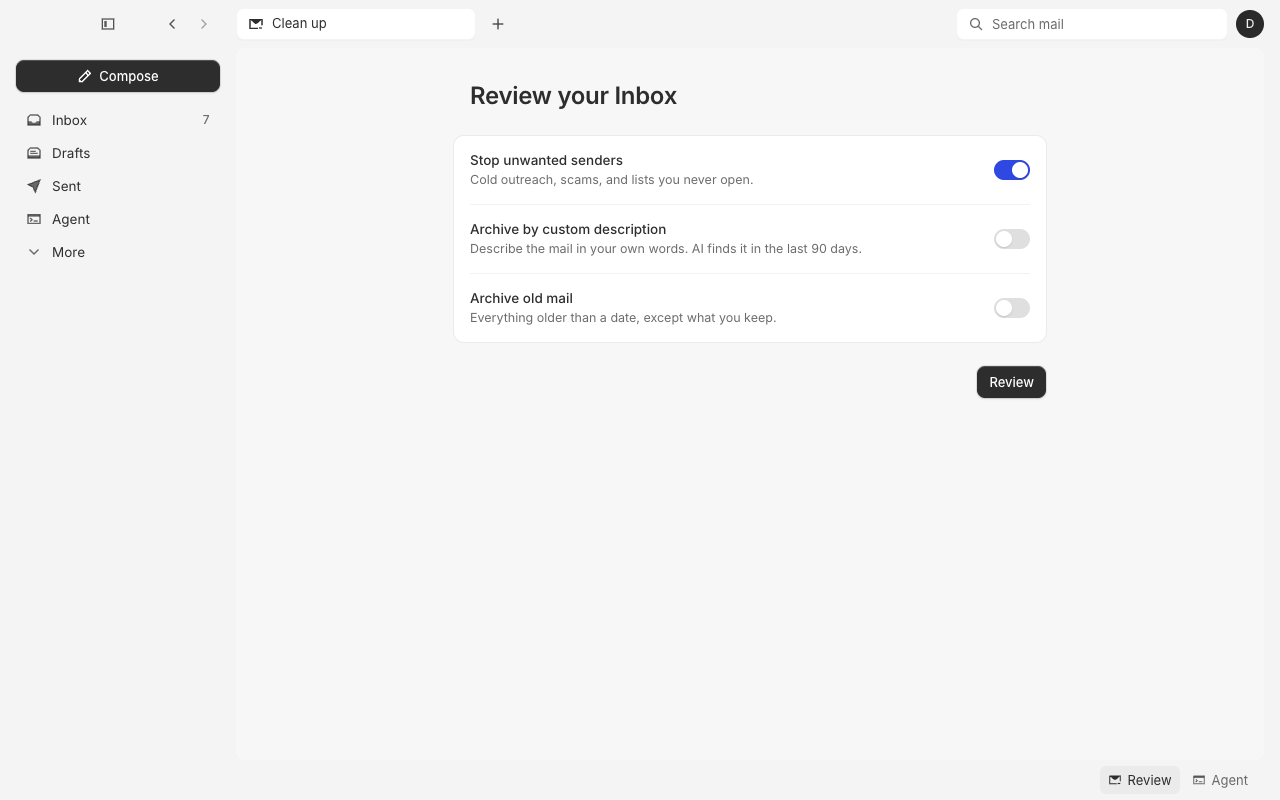
The Review your Inbox page opens with Stop unwanted senders turned on. Click Review.
3. Check the senders
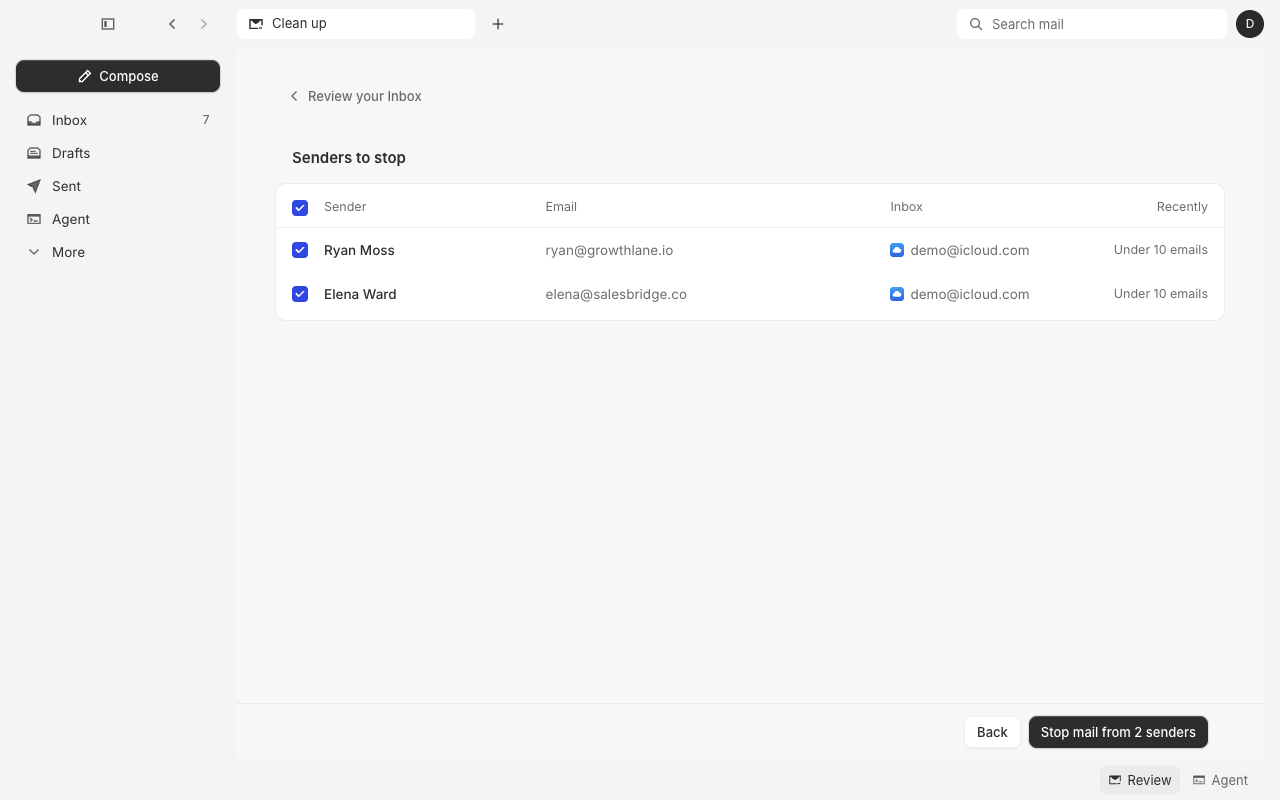
Senders to stop lists each sender with their address, the Inbox their mail came to, and how much they sent recently. Every sender starts checked.
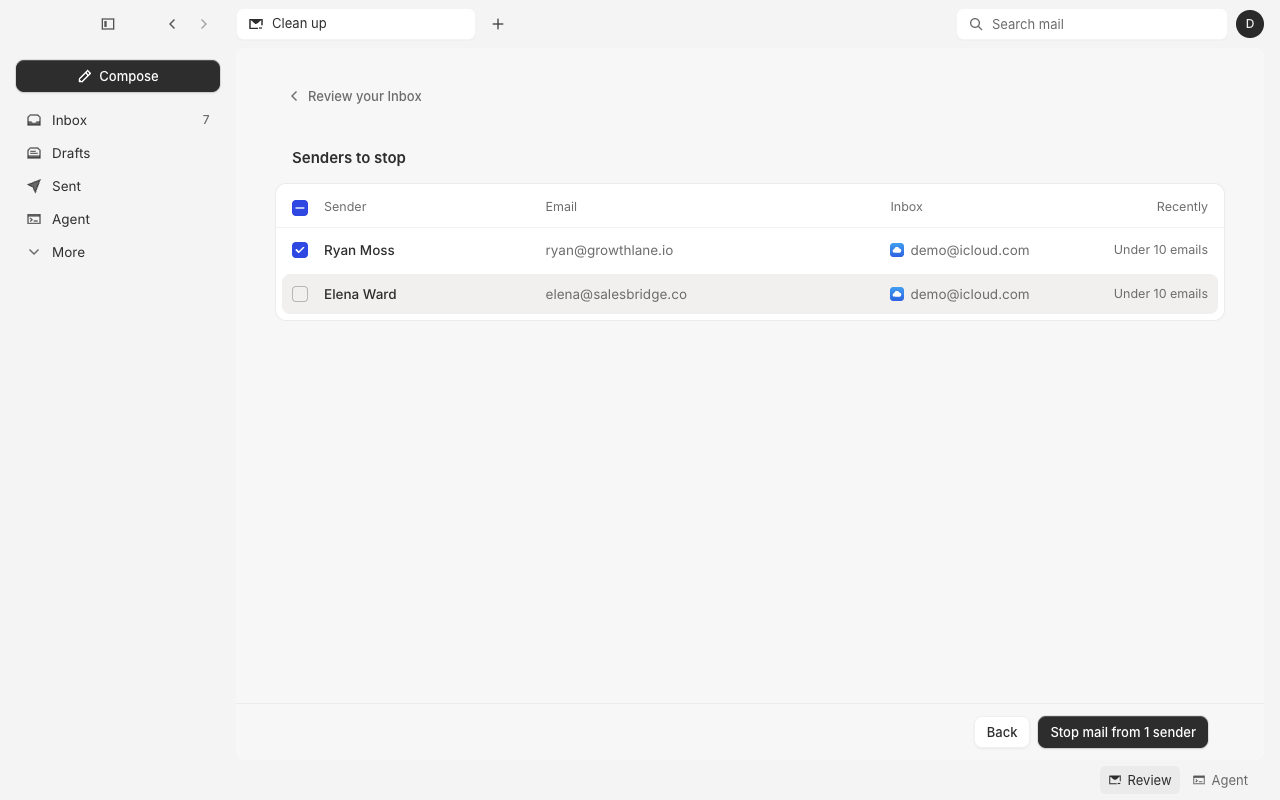
Click a sender's row to uncheck a sender you want to keep. The button counts only the senders still checked.
4. Stop their mail
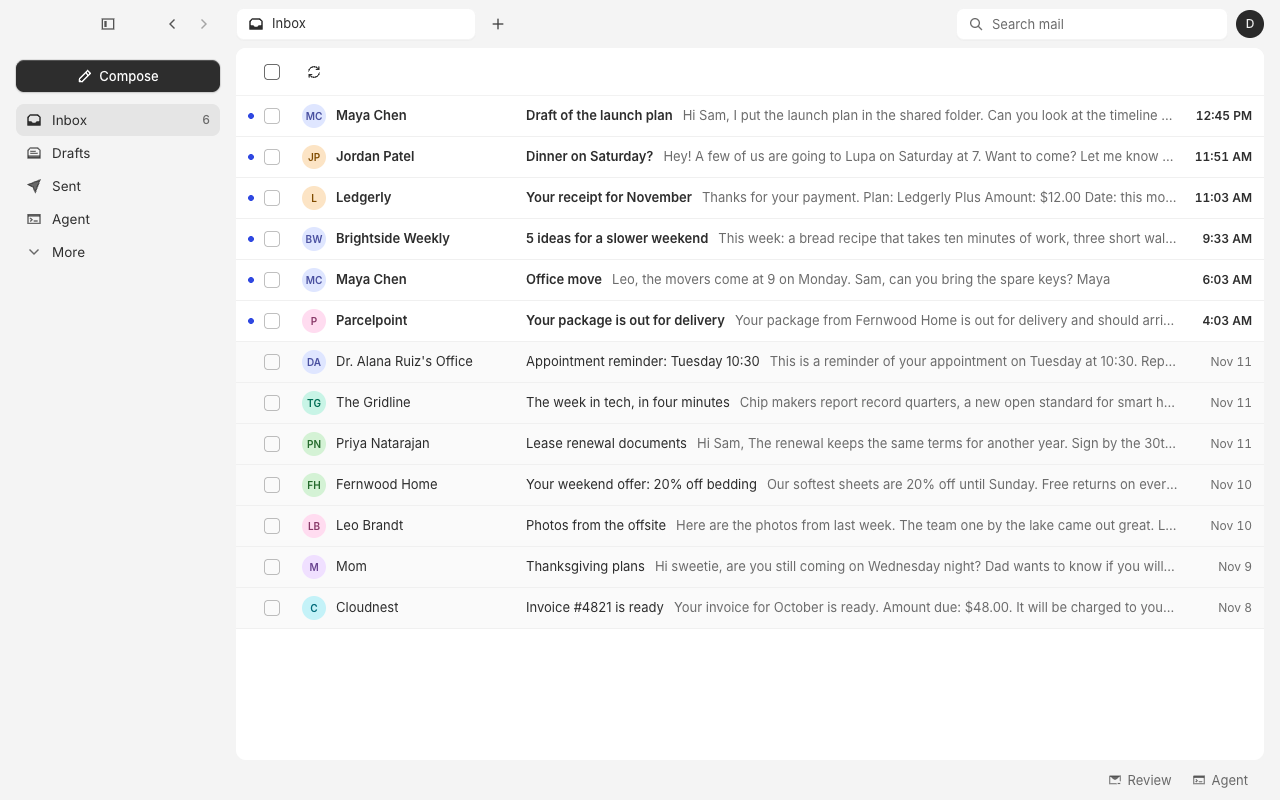
Click Stop mail from 2 senders. Their mail leaves your Inbox at once, and Alrighty takes you back to it. A message says Stopped mail from 2 senders, with Undo.
Questions
Which senders does Clean up list?
Cold outreach, scams, and newsletters you never open or open less than half of. Alrighty sorts your senders with AI, so the list can take a moment to fill.
What happens to a stopped sender's mail?
Their mail goes to Archive, and their new mail stays out of your Inbox. For a list, Alrighty also unsubscribes you when it can prove who the sender is. This works the same as Stop mail on one message.
What happens to a sender I uncheck?
Alrighty keeps them. They don't show up the next time you review.
Can I undo it?
Click Undo on the message, or press ⌘Z. To let a sender's mail back in later, see Stop mail.
Clean up says "No unwanted senders right now"
Alrighty found no senders to stop in your mail. To stop a kind of mail that comes from a new sender each time, such as cold sales, use Filters.
What do the other switches do?
Archive by custom description finds mail from the last 90 days that matches words you write. Archive old mail archives everything older than a date, except what you keep. Both list the mail under Emails to archive before anything moves.