Docs · Accounts
Add an account
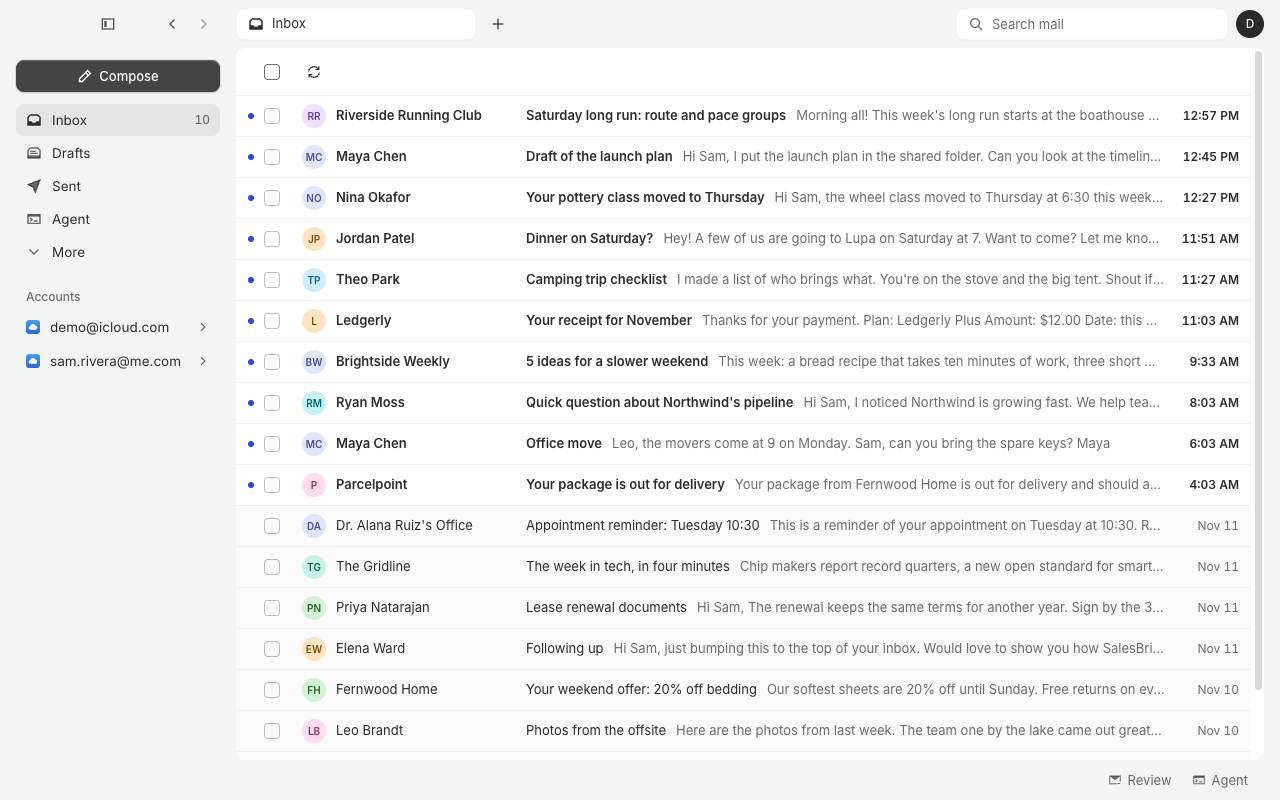
Add a second iCloud, Gmail or Outlook account to Alrighty from Settings. Its mail joins the others in one Inbox.
Open Settings → Accounts, click Add account, and pick your provider. The new account's mail lands in the same Inbox as your other accounts.
Steps
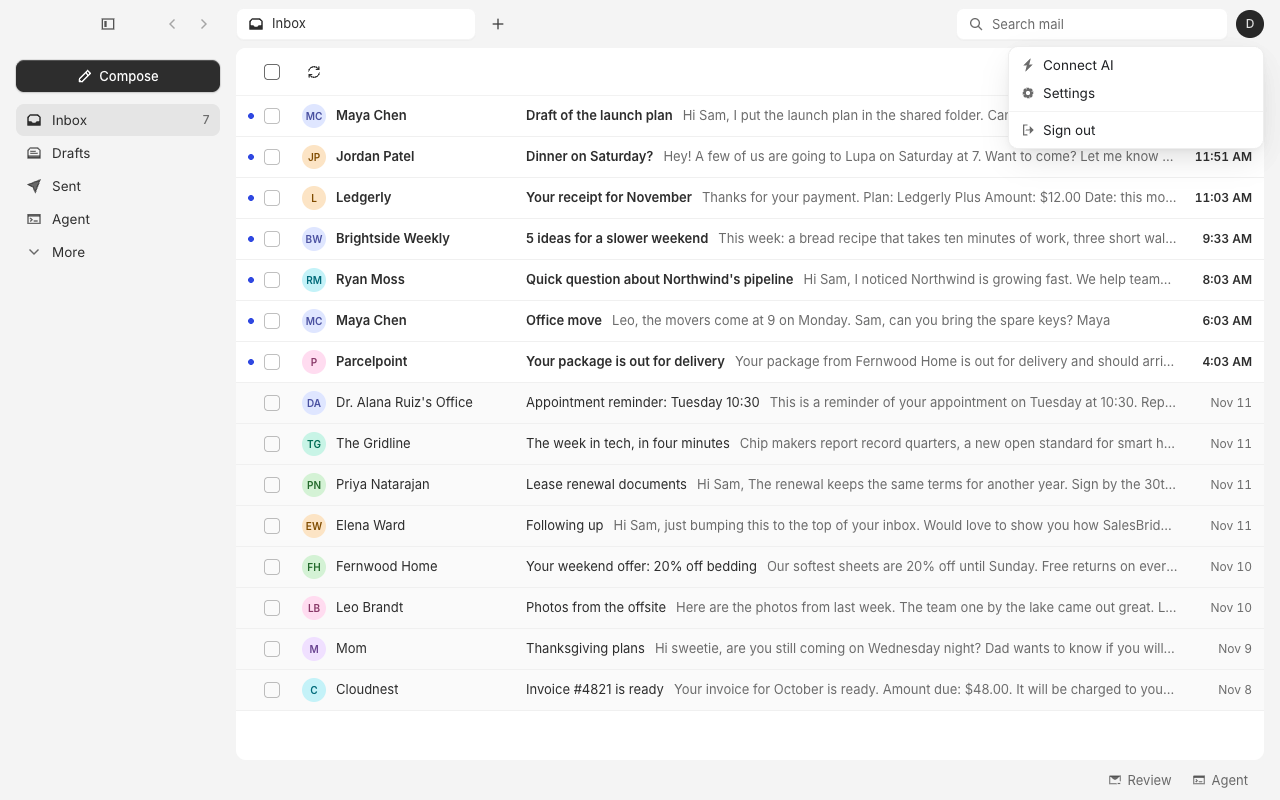
1. Open Settings
Click your avatar at the top right of the window, then click Settings.
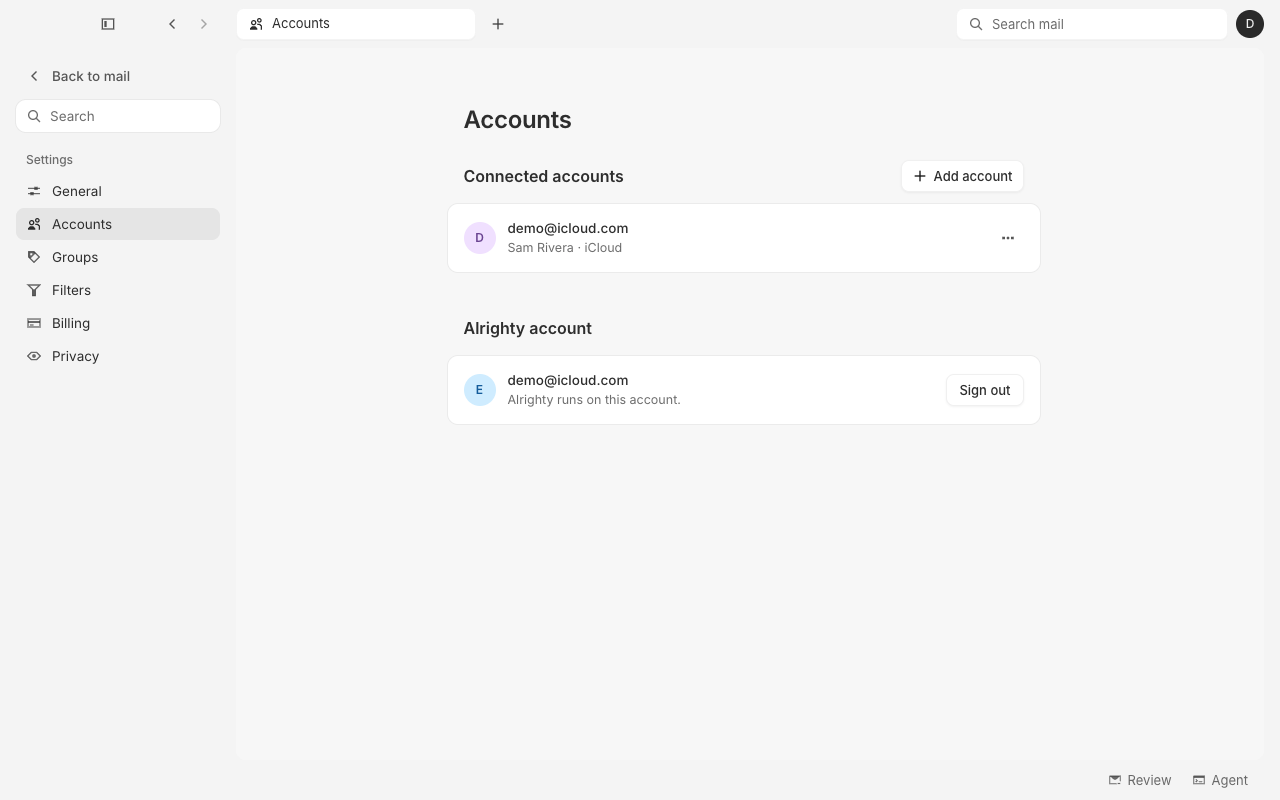
2. Go to Accounts
Click Accounts in the sidebar. It lists every account you've connected. Click Add account.
3. Pick your provider
Choose iCloud Mail, Gmail or Outlook.
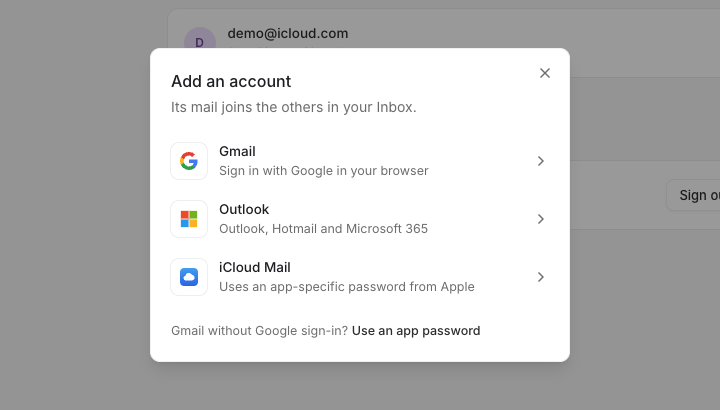
- Gmail and Outlook open your browser on Google's or Microsoft's own sign-in page. Sign in there, then come back to Alrighty. The dialog waits for you.
- iCloud Mail asks for your address and an app-specific password. See Connect iCloud to make one.
4. Sign in
For iCloud, enter your iCloud address and the app-specific password, then click Connect.
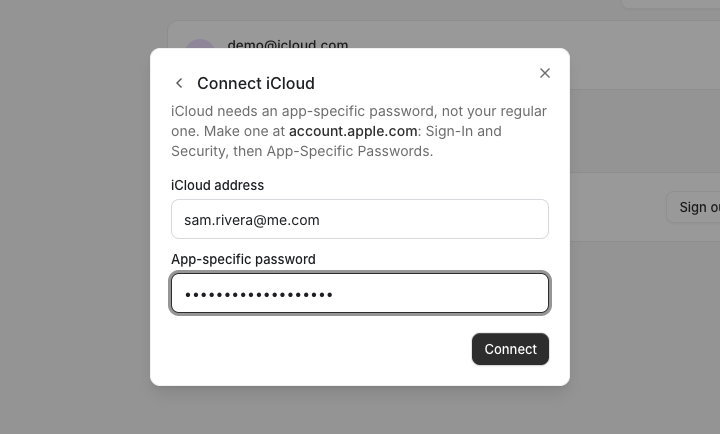
When the account is added, Alrighty says Account added and its mail starts arriving in your Inbox.
Questions
Where does the new account's mail go?
Into the same Inbox as your other accounts. Each account also shows in the sidebar, so you can open its mail on its own.
Can I add two accounts from the same provider?
Yes. Add each one the same way. Two iCloud addresses, or a personal and a work Gmail, sit side by side.
Can I add Gmail without signing in through the browser?
Yes. In the Add an account dialog, click Use an app password under the list, then enter your Gmail address and an app password. Connect Gmail explains how to make one.
The dialog shows an error after I click Connect
Check the address and the password. iCloud and Gmail need an app-specific password here, not the password you sign in to Apple or Google with.
How do I remove an account later?
See Remove an account.